> For the complete documentation index, see [llms.txt](https://voyzu.gitbook.io/docs/llms.txt). Markdown versions of documentation pages are available by appending `.md` to page URLs; this page is available as [Markdown](https://voyzu.gitbook.io/docs/voyzu-core-concepts/posting-model.md).
# Posting Model
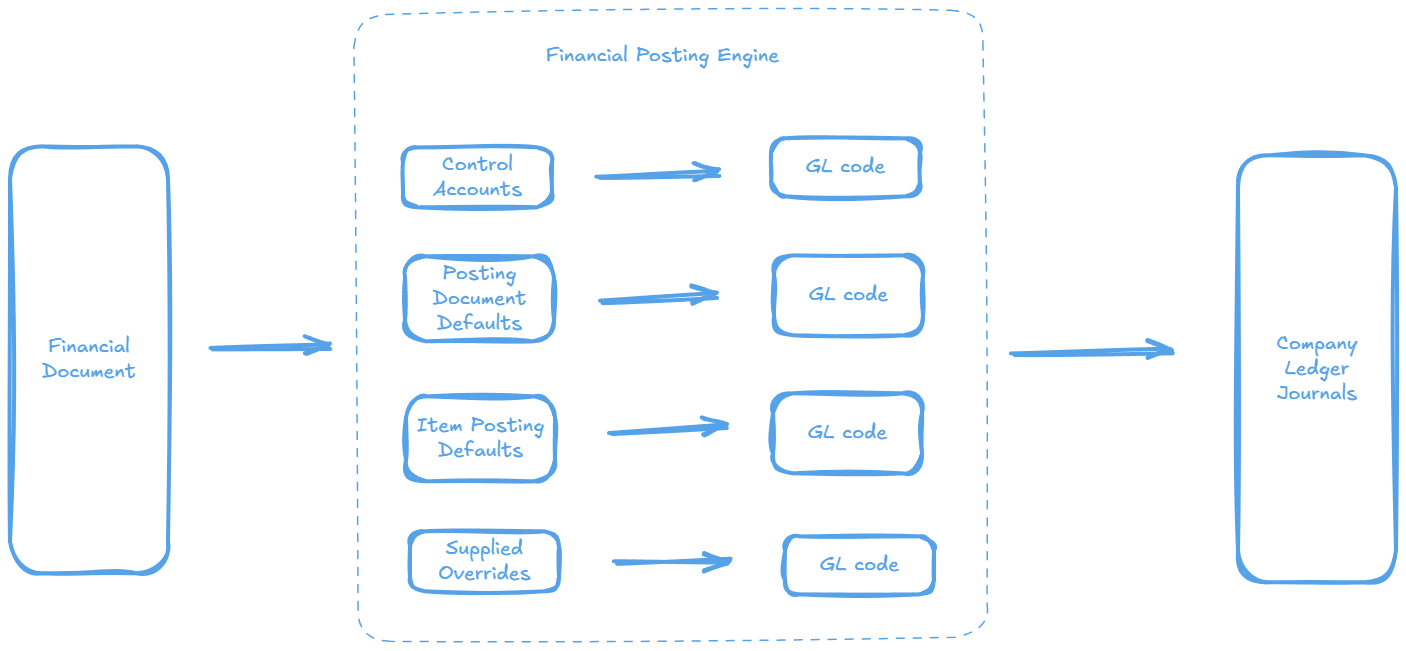
All Company Journal Entries are created by Financial Documents which is responsible for converting the various Financial settings into General Ledger Account Codes which are then posted to the Company Ledger
## Control Accounts
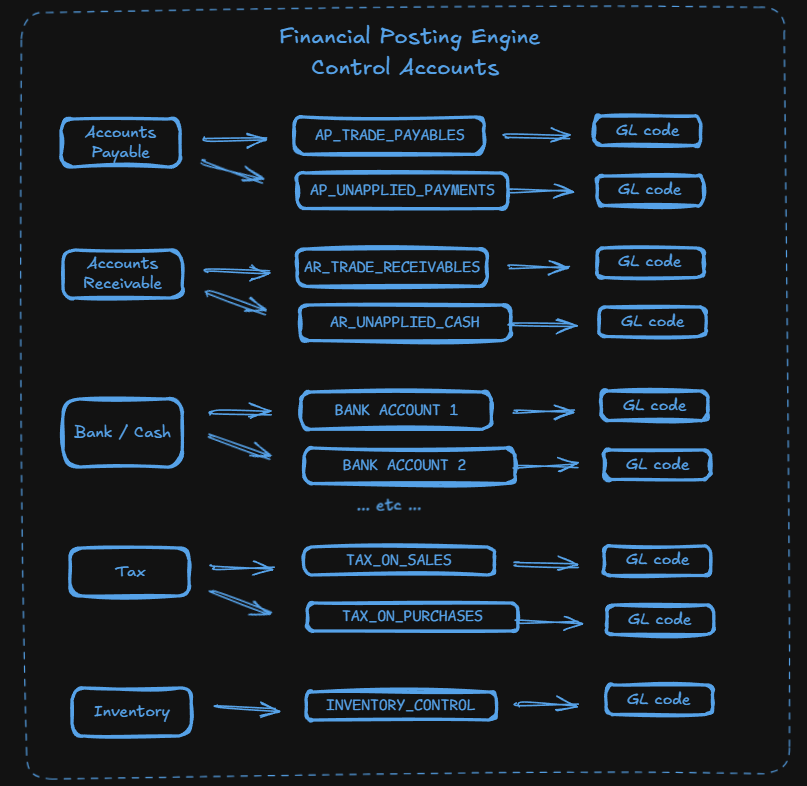
A Control Account in Voyzu is is a pointer to a General Ledger Account that represents a Subledger Total. Voyzu has five different kinds of Control Account
* Accounts Receivable Control Accounts
* Accounts Payable Control Accounts
* Bank / Cash Control Accounts
* Tax Control Accounts
* Inventory Control Account
Each Control Account is backed by a Subledger, detailing the individual transactions that sum to the Control Account total
**Linked By**
Accounts Payable, Accounts Receivable, Tax and Inventory Control Accounts are top level Control Accounts and are not linked to by any other codes
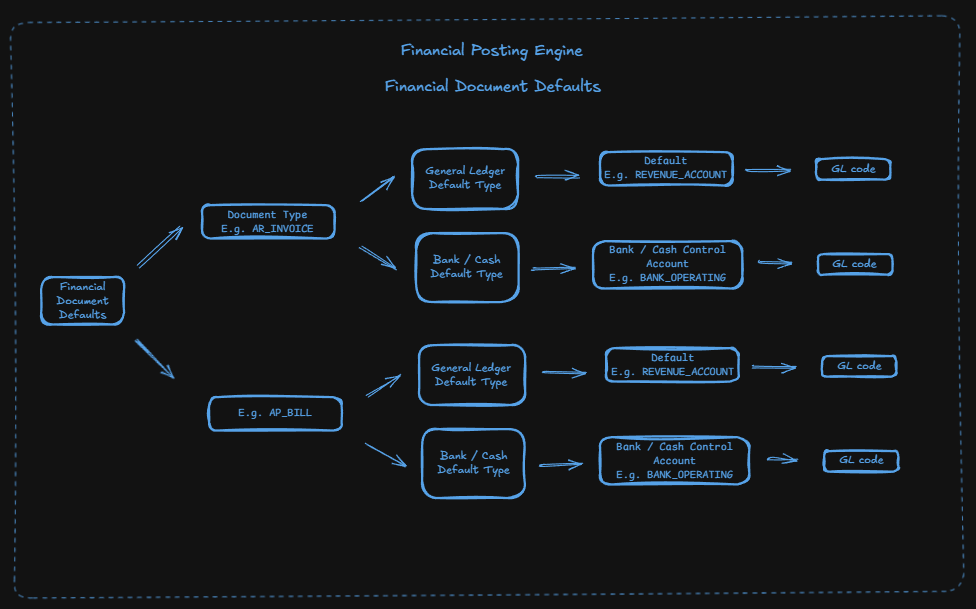
Bank / Cash Control Accounts can be linked to by Financial Document Defaults
**Has Postings**
If there are one or more Company Journal entries that use a General Ledger account associated with a Control Account then that Control Account is tagged 'Has Postings', In this case the Control Account cannot be associated with a different General Ledger account
## Posting Document Defaults
When a Document is posted to a posting engine the posting engine logic must make a decision on which General Ledger Account to use for the different sides to the accounting equation. In some cases the Posting Engine will use a Control Account, which will be linked to a GL account code as per the above "Control Accounts" section. However for some calculations the posting will depend on the Company or Organization configuration. This is where posting document defaults come in. The Posting Engine will look for the posting document default relevant for that document, unless over-ridden
**Overriding Default Values**
**In some cases you may want to over-ride the default General Ledger Account values that Financial Document defaults specify**
**Linked By**
Posting Document Defaults are top level and cannot be linked to
**Has Postings**
Posting Document Defaults are simply default values, they therefore have no concept of Has Postings
## Item Posting Profiles
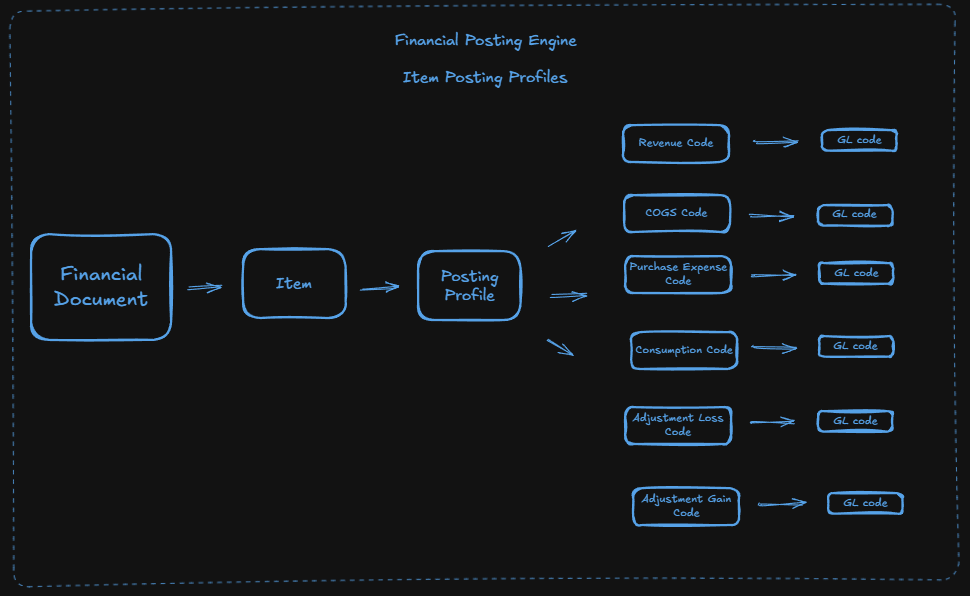
Some financial transactions involve items; for example an invoice may list one or more items sold to a customer, a bill may list one or more items purchased and so on. The applicable GL Account to use often depends on the type of item. For example purchasing a large asset will have different financial treatment to selling stationary.
Item posting profiles define the applicable account codes to use when items are purchased, sold. They also define account codes for other inventory transactions such as stock revaluation
**Linked By**
Item Posting Profiles are top level and cannot be linked to
**Has Postings**
Item Posting Profiles are simply default values, they therefore have no concept of Has Postings